Charger guide
Smart EV chargers in NZ: what they do and whether you need one
What makes a home EV charger 'smart', and which features actually matter for NZ homeowners: off-peak scheduling, solar diversion and load management.
Most home EV chargers sold in New Zealand today are “smart” in some sense. They have Wi-Fi, an app, and a scheduling function. But the label covers a wide range of capability, and some features are genuinely useful while others rarely get used. Here’s what actually matters for NZ homeowners.
The short answer
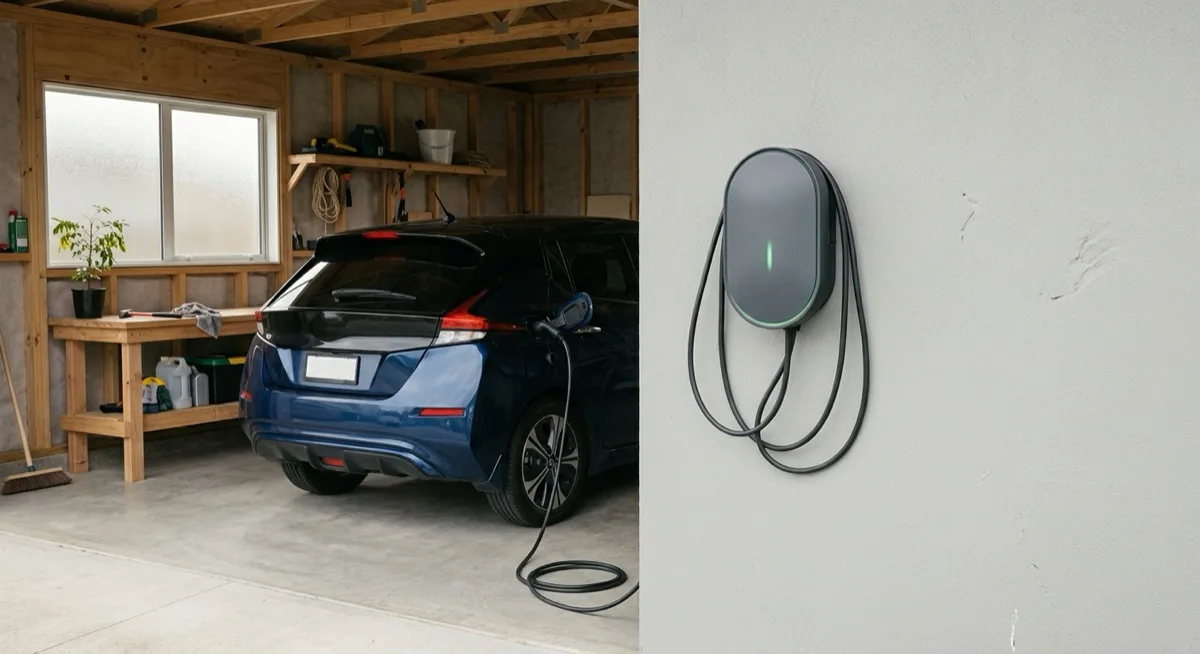
A smart EV charger adds app control, scheduling, and energy monitoring to a standard wallbox. The features that deliver real value for most NZ households are off-peak scheduling (charge at the cheapest rate overnight) and, if you have solar panels, solar PV diversion (use surplus generation rather than export it). Load management and open-protocol connectivity matter in specific situations but are not essential for most homes.
A basic smart charger typically adds $200–$500 to the hardware cost over the simplest dumb wallbox, though all figures here are indicative and vary by brand and model.
Smart functionality is about to become compulsory
This is no longer only a value question. On 5 May 2026 the Government announced that Cabinet had agreed to require EV chargers with a maximum charge rate over 2.4kW supplied in New Zealand to have minimum smart functionality, plus labelling showing energy efficiency and smart characteristics, through changes to the Energy Efficiency and Conservation Act 2000 (MBIE). Legislation was signalled for introduction during 2026; no commencement date has been announced.
Because 2.4kW is roughly the output of a three-pin trickle charger, that scope covers essentially every wall-mounted home charger sold here. EECA separately publishes a voluntary approved list of chargers meeting its smart specification. Both are covered in the EECA approved list and charger rules guide.
Nothing announced so far requires an existing installation to be changed.
What “smart” actually means
The term covers several distinct capabilities. They’re often bundled together but worth understanding separately.
Wi-Fi app control
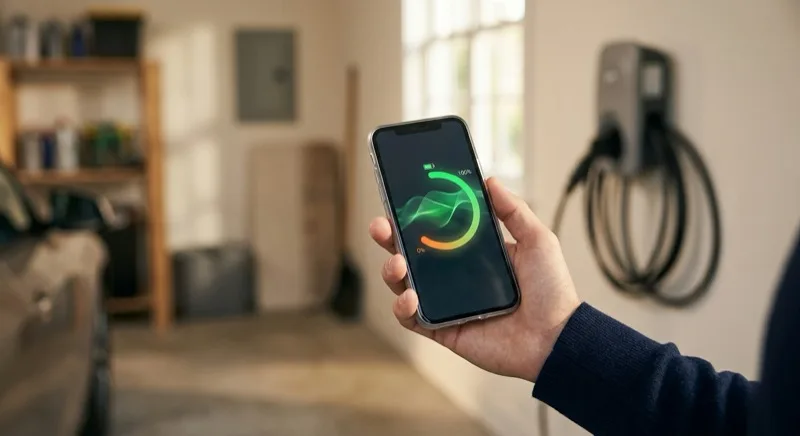
The baseline feature of every smart charger: a companion app that lets you start, stop, and monitor charging remotely. Useful for checking state-of-charge from inside the house, locking the charger if you share a driveway, and reviewing how much energy you’ve used over time.
Scheduled charging
The most practically useful feature for most NZ households. You set a window (say, 11 pm to 6 am) and the charger starts automatically each night, which suits the way home EV charging mostly happens overnight anyway. This matters because many NZ lines companies offer time-of-use or controlled-load tariffs where off-peak electricity is noticeably cheaper. If your plan has an overnight rate, a schedule pays for itself over time.
Setup is usually a one-time task in the app. Some chargers let you set multiple schedules for weekdays and weekends separately.
Energy monitoring and reporting
Most smart chargers log every session: kWh delivered, duration, estimated cost. Useful for tracking your actual home charging expenditure, and increasingly useful for workplace reimbursement if you charge a company car at home.
Solar PV diversion
If you have a rooftop solar system, a charger with solar integration can shift some or all of your charging load to times when your panels are generating surplus power: power that would otherwise be exported to the grid at a low feed-in rate.
The charger communicates with your solar inverter or a home energy meter to measure available surplus, then adjusts its draw accordingly. On single-phase supply, the practical minimum charging rate is around 1.4kW (the car’s onboard charger sets a floor); the charger throttles between that floor and its rated maximum to match available solar.
This feature adds genuine value if you have solar and are home during the day, or have a vehicle you can leave plugged in for several hours. It adds limited value if you’re always plugging in at night after the sun has gone down.
Compatibility matters: not every charger works with every inverter brand. Ask your installer to confirm compatibility with your existing solar setup before committing to hardware.
Dynamic load management
Dynamic load management lets the charger monitor the total current draw on your switchboard and automatically reduce its charging rate if the household load approaches the circuit limit. This prevents nuisance RCD/RCBO trips when the oven, heat pump, and EV charger are all running simultaneously.
For homes with a standard 63A or 100A switchboard and one EV, this is rarely needed. A Registered Electrician sizing the circuit correctly handles the same problem at install time. Load management becomes more useful when:
- Two or more EVs share a single switchboard with limited headroom.
- The property has a constrained supply that can’t be easily upgraded.
- You want to avoid paying for a switchboard upgrade by accepting a slightly slower charge in peak-demand periods.
Some load management systems also coordinate across multiple chargers, relevant if you’re running a small business fleet or a multi-unit dwelling.
OCPP open protocol
OCPP (Open Charge Point Protocol) is an open standard that lets chargers talk to third-party platforms: energy management systems, building management software, fleet management tools, and future home battery systems.
For a single household EV, OCPP is largely irrelevant today. It becomes worth considering if you’re future-proofing against a home battery installation, managing several vehicles, or need to integrate with business systems. If you’re buying for a small commercial premises, OCPP support is worth specifying.
Features that are nice-to-have but rarely essential
Voice assistant integration. Works, rarely used for charging.
Automatic tariff detection. Some chargers can read smart meter data and adjust schedules automatically. Useful in theory; availability and compatibility with NZ lines companies’ systems varies.
Push notifications. Charge-complete alerts are handy occasionally.
Cable management. A tidy holder for the Type 2 connector cable matters more for daily convenience than for smart functionality.
What to look for when comparing smart chargers
1. Does it work with your solar inverter? If you have solar and want diversion, this is the first question. Confirm compatibility in writing before purchase.
2. Does the load management approach match your switchboard? If headroom is tight, ask the installer whether a hardware load management solution or a software-based one is better for your setup.
3. Is the app actively maintained? Smart charger value depends on the software staying current. Check recent reviews of the companion app, not just the hardware.
4. Is it OCPP-capable if you might need it? If there’s any chance of adding a second charger, a home battery, or a fleet system, OCPP support costs little to add now and avoids a hardware swap later.
5. What does the warranty cover and for how long? Hardware and software support terms vary. A charger with a short firmware support window may lose features over time.
For a deeper look at charger power levels before deciding between smart options, see the 7kW vs 22kW guide: the smart vs basic question is separate from the speed question.
What smart charging costs in NZ (indicative)
Smart charger hardware typically sits in the $1,200–$2,500 range depending on features, brand, and power rating. A basic dumb wallbox starts lower. Total installed cost (hardware plus a Registered Electrician to wire, mount, and issue a Certificate of Compliance) runs indicatively around $1,500–$2,500 all-in for a standard 7kW single-phase installation with no switchboard work required.
Add-ons that raise the total include switchboard upgrades, long cable runs, trenching across a driveway, or upgrading to three-phase supply. The installation cost guide covers every variable in detail. For the supply question, see single-phase vs three-phase EV charging.
All cost figures are indicative. Your actual quote will depend on your property, switchboard capacity, and the specific hardware you choose.
Our recommendation
For most NZ homeowners, a smart charger with scheduling and energy monitoring is worth the modest premium over a basic unit. The off-peak scheduling feature alone typically recovers the cost difference within a year or two if you have any time-of-use component in your tariff.
Add solar diversion if you have rooftop solar and can confirm hardware compatibility with your inverter.
Add load management only if a Registered Electrician assesses your switchboard as having limited headroom, or if you’re running more than one EV.
OCPP is worth specifying if you’re buying for a business context or are confident you’ll add a home battery within a few years.
The safest approach is to describe your setup (solar yes/no, number of EVs, rough switchboard age) in your quote request and let an installer recommend the right combination for your situation.
What to send for an accurate quote
The more detail you include, the fewer surprises once work starts:
- A photo of your switchboard (door open if safe): lets the installer assess capacity, check the earthing, and flag any likely upgrade early.
- A photo of your parking location: garage, carport, or driveway; covered or open.
- Approximate cable route from the switchboard to where the charger will sit: distance and any obstacles (solid concrete walls, paving to trench under, long runs above the roofline).
- Your EV make and model: confirms the Type 2 connector standard and your car’s maximum AC charge rate.
- Whether you have solar panels, and the inverter brand if you know it.
- Whether you have single-phase or three-phase supply: if you’re unsure, the electrician will check, but knowing upfront saves time.
- Any smart-charging priorities (off-peak scheduling, solar integration, load management) so the installer can spec compatible hardware from the start.
Request a quote from a local installer and include the details above for the most accurate pricing.
Frequently asked questions
What is a smart EV charger?
A smart EV charger connects to your home Wi-Fi and gives you app-based control over when and how your car charges. Core features include remote start/stop, charging schedules, energy usage tracking, and (on better units) solar PV diversion and dynamic load management.
Can I set my EV charger to charge at off-peak times in NZ?
Yes. Most smart chargers let you set a daily schedule so charging starts automatically during your lines company's off-peak window, typically overnight. The charger does the work; you just set the window once. Some chargers can also adjust automatically if you enter your tariff details.
What is solar diversion on an EV charger?
Solar diversion (sometimes called PV diversion or solar integration) lets the charger use surplus solar generation to top up your car rather than export it to the grid. A sensor measures what your panels are currently producing, and the charger adjusts its draw to match, typically down to a minimum of 1.4kW on single-phase. It won't work well without a compatible solar inverter or energy management system.
Does a smart charger reduce my power bill?
It can. The main saving comes from scheduling charging to an off-peak rate if your plan has time-of-use pricing. Solar diversion can also cut costs if you have surplus daytime generation. The savings depend entirely on your tariff and how much solar you produce. There's no universal answer.
What is OCPP and do I need it?
OCPP (Open Charge Point Protocol) is an open standard that lets chargers communicate with third-party energy management systems, building management software, or fleet platforms. For most homeowners it's irrelevant. It becomes useful if you're running multiple chargers, managing a small fleet, or want to integrate with a future home energy management system.
Do I need a Registered Electrician to install a smart EV charger in NZ?
Yes. In New Zealand, all fixed EV charger installations must be carried out by a Registered Electrician who issues a Certificate of Compliance on completion. The smart features don't change the electrical installation requirement. The wiring, switchboard connection, and RCD/RCBO protection work is the same regardless of whether the charger is smart or basic.